The Multi-Channel Support Trap: Why Tool Switching Is Costing Your Ecommerce Store Time and Sales
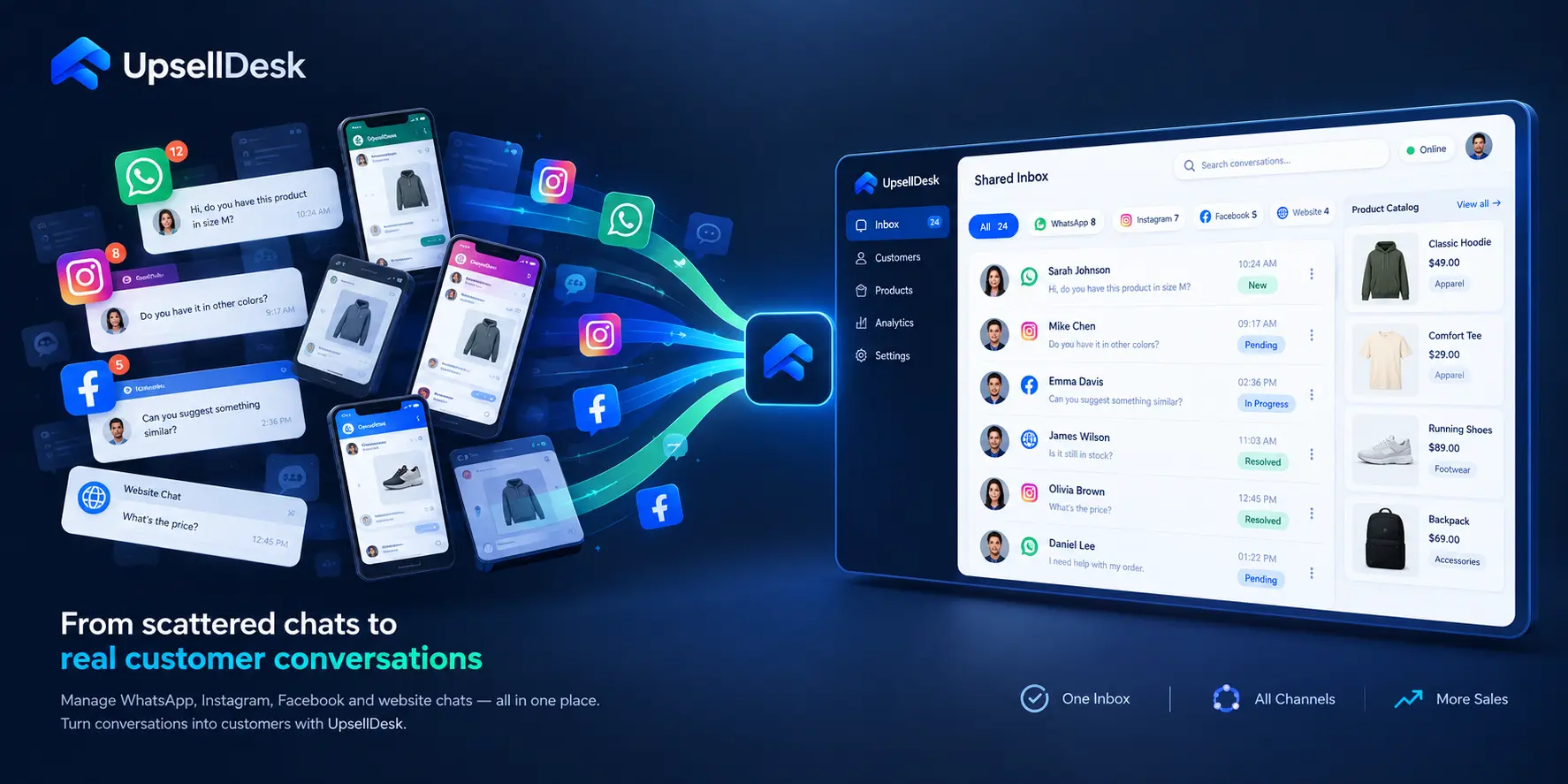
Learn how fragmented WhatsApp, Instagram, and web chat inboxes slow down support teams, cost conversions, and how to unify social messaging in one dashboard.
The Multi-Channel Support Trap: Why Tool Switching Is Costing Your Ecommerce Store Time and Sales
If you run a direct-to-consumer (D2C) brand or social commerce store, your browser probably looks familiar: one tab for the WhatsApp Business Web app, a second for Instagram Creator Studio, a third for your Facebook Page inbox, and a fourth for your online store's live chat widget.
On your phone, notifications buzz constantly. A customer on WhatsApp is asking whether a specific linen shirt is available in size Medium. A shopper on Instagram comments on a Reel, asking about shipping times to Bangalore. Another visitor on your website chat wants to know if they can change their delivery address before dispatch.
At first, being accessible everywhere feels like good customer service. You want to meet your customers on whatever platform they prefer.
However, as order volume scales from dozens to hundreds of packages a week, this multi-app setup quickly turns into an operational bottleneck known as the multi-channel support trap.
When your support agents are forced to constantly juggle separate native apps and disconnected browser tabs, response times slow down, context is lost, and high-intent buyers slip away during their peak buying window.
Managing customer conversations across WhatsApp, Instagram, Facebook, and your website does not require doubling your team or living in a state of constant notification anxiety. By understanding the true operational costs of fragmented inboxes and implementing a unified conversation framework, you can streamline support workflows, speed up resolutions, and turn everyday chats into predictable sales.
The Hidden Operational Costs of Fragmented Social Inboxes
The friction caused by running separate messaging apps is rarely tracked on a standard profit-and-loss sheet, but its impact on daily operations is severe.
1. Context-Switching Fatigue and Team Inefficiency
Every time a team member switches from answering a WhatsApp inquiry to checking an Instagram DM, their attention is fragmented. Studies on workplace productivity consistently show that context switching drains cognitive energy and slows execution.
In customer service, this friction manifests as wasted minutes:
- Logging in and out of different brand accounts across team members.
- Manually searching through store admin tabs to verify customer orders while keeping chat tabs open.
- Copying and pasting product links, size guides, and policy snippets between separate interfaces.
When agents spend 30% of their day navigating between software interfaces rather than helping customers, overall resolution capacity plummets.
2. Leaked Revenue in Background Tabs
In modern social commerce, messaging conversations are directly tied to immediate purchase intent. When a shopper messages an Instagram page asking, "Does this shade match neutral undertones?", they are ready to purchase at that exact moment.
If that inquiry sits unread for two hours because your support staff was busy answering shipping questions on WhatsApp Web, the buying momentum evaporates. The shopper leaves the app, gets distracted, or purchases a similar product from a competitor who answered in two minutes.
Fragmented apps make it nearly impossible to prioritize incoming chats by purchase urgency. High-intent pre-purchase questions get buried behind routine status updates.
3. Disconnected Customer History
Modern shoppers frequently cross channels. A customer might discover a product via an Instagram Reel, ask a question on your website chat widget, and follow up three days later on WhatsApp regarding their tracking link.
When using standalone native apps, each channel is an isolated data silo:
- The WhatsApp agent has no record of the previous Instagram discussion.
- The customer is forced to re-introduce themselves and type out their order number and issue repeatedly.
- Agents risk providing contradictory advice regarding return windows, stock reservations, or promotional terms.
This disconnect creates a disjointed brand experience that damages customer trust.
Why Traditional Helpdesks Fall Short for Social Commerce
When ecommerce brands recognize that managing native apps is unsustainable, they often turn to traditional customer support platforms. However, tools designed primarily for B2B SaaS or email ticketing frequently create new points of friction for social commerce stores.
Traditional Helpdesks vs. Social Commerce Inboxes
-----------------------------------------------------------------------
Traditional Ticketing          | Social Commerce Shared Inbox
-----------------------------------------------------------------------
- Ticket-centric & asynchronous| - Conversational & real-time
- Built around email & forms   | - Built for WhatsApp, IG DMs & Web chat
- Disconnected from catalog    | - Real-time product inventory beside chat
- Passive issue resolution     | - Conversational sales & guided discovery
Ticket-Centric Queues vs. Real-Time Chat Expectations
Traditional helpdesk software is built around asynchronous email tickets ("Ticket #48291 has been created"). But shoppers messaging on WhatsApp or Instagram do not view themselves as submitting a support ticket; they expect an immediate, conversational response. Forcing chat interactions into rigid ticketing structures leads to unnatural customer experiences and delayed response times.
The Missing Link: Live Product Catalog Context
Standard helpdesks treat customer inquiries as text strings. They lack direct integration with your store's live product catalog.
When a customer asks if a product is in stock or which variant fits their needs, a support agent in a traditional helpdesk must still open a separate tab, search the store inventory, verify variant attributes, copy the product URL, and paste it back into the conversation. Without live catalog context integrated directly beside the chat, response speed remains artificially capped.
Language and Local Channel Barriers
In fast-growing ecommerce markets—particularly in India—customer communication is multilingual and mobile-first. Many legacy ticketing platforms are designed for Western desktop workflows and struggle with localized messaging behavior, such as voice notes, regional dialects, and native WhatsApp Business API requirements.
A 4-Step Playbook to Consolidate Your Messaging Chaos
Transforming your multi-channel messaging from a chaotic liability into a streamlined asset requires a deliberate operational approach.
[ Step 1: Audit & Map ] ──> [ Step 2: Unify Inboxes ] ──> [ Step 3: Connect Catalog ] ──> [ Step 4: Triage & Handover ]
Step 1: Audit and Map Active Customer Touchpoints
Start by reviewing where customer conversations actually originate. For two weeks, track message volume across:
- Website live chat
- WhatsApp Business numbers
- Instagram direct messages and post comments
- Facebook Messenger and Page comments
Identify which channels drive the highest volume of pre-purchase inquiries versus post-purchase service questions. Understanding your channel distribution helps you establish realistic response-time benchmarks.
Step 2: Connect Channels into a Centralized Shared Dashboard
Move away from individual logins on mobile devices and browser windows. Connect your communication channels to a unified shared inbox.
A centralized inbox provides:
- A single, real-time message stream aggregating WhatsApp, Instagram, Facebook, and website chats.
- Team collaboration tools, including conversation assignment, private internal notes, and agent status tracking.
- Unified conversation histories that tie a customer’s phone number, email, and social handles to one profile.
Step 3: Integrate Live Product Catalogs and Business Knowledge
A unified inbox should not just centralize text; it must centralize context. Connect your shared inbox directly to your store's product database and operational documentation:
- Product Details: Live pricing, variant specifications (size, color, material), and current inventory availability.
- Business Knowledge: Shipping guidelines, return and exchange rules, delivery pin code coverage, and payment terms.
When agents have verified business policies and live product cards accessible in a sidebar panel, they can resolve customer queries in seconds without switching tools.
Step 4: Implement Smart Triage and Seamless Human Handover
Not every conversation requires the same level of human attention. Structure your workflow using a tiered triage model:
- Tier 1 (Routine Inquiries): Automate repetitive questions (order status tracking, shipping timelines, basic policy FAQs) using catalog-aware AI assistants that operate 24/7.
- Tier 2 (High-Intent & Complex Cases): Automatically route high-value pre-purchase discussions, custom inquiries, and customer complaints directly to human support staff with complete context preserved.
This hybrid approach ensures that customers get instant answers to common questions around the clock, while your human team focuses exclusively on high-touch, revenue-generating conversations.
What to Look for in a Unified Social Commerce Inbox
If your store is evaluating platforms to centralize messaging operations, look for capabilities tailored specifically to the realities of social commerce:
- Official Meta API Connectivity: Ensure the platform connects via official WhatsApp Business API, Instagram Graph API, and Facebook Messenger integrations to prevent account bans, rate-limit throttling, or message delivery failures.
- Catalog-Aware Conversation Tools: Look for systems that allow agents and automated assistants to search products, check stock levels, and send rich product recommendation cards directly inside the chat.
- Multi-Agent Collaboration: The dashboard must support multiple concurrent team logins on a single WhatsApp number, with conversation assignment, collision detection (preventing two agents from typing at once), and internal tagging.
- Intelligent Human Handover: When an automated assistant encounters a question beyond its knowledge base or detects a customer requesting human help, it must instantly notify agents and hand over the session without losing chat history.
Platforms like UpsellDesk are designed specifically around this architecture—bringing website chat, WhatsApp Business, Instagram DMs, and Facebook Messenger into a unified dashboard, backed by live product catalog context, automated inquiry handling, and seamless human takeover.
Conclusion: Scale Your Conversations, Not Your Browser Tabs
Expanding your ecommerce presence across WhatsApp, Instagram, and web chat should be an engine for customer acquisition, not a source of operational paralysis.
When support agents spend their days switching between disconnected mobile apps and browser tabs, response times lag and sales slip through the cracks. By uniting your messaging touchpoints into a single, catalog-aware shared dashboard, you eliminate wasted time, empower your team with complete customer context, and deliver the fast, consistent buying experience that modern shoppers expect.
Frequently Asked Questions
Can multiple support agents manage conversations from a single WhatsApp Business number?
Yes. When using the official WhatsApp Business API connected to a shared inbox platform, multiple team members can log into the dashboard simultaneously from different computers. Agents can view the central message stream, assign conversations to themselves, and reply to customers using the brand's verified WhatsApp number without device conflicts.
How does catalog integration improve response speed in a shared inbox?
When a shared inbox is integrated directly with your ecommerce store platform (such as Shopify or WooCommerce), agents have access to a live product sidebar. Instead of opening a new tab to check inventory or retrieve product URLs, agents can view stock levels, confirm sizing specifications, and insert direct product links with a single click inside the chat interface.
Will consolidating inboxes improve customer response times on Instagram and WhatsApp?
Yes. Consolidating all incoming inquiries into a single prioritized queue eliminates the latency caused by manual tab switching and missed notifications. Teams can set clear response-time thresholds, monitor unassigned conversations in real time, and ensure that high-intent pre-purchase questions receive immediate attention.
When should an ecommerce conversation be automated versus handed over to a human agent?
Routine, repetitive inquiries—such as order tracking lookups, return policy clarifications, shipping timelines, and basic product specifications—are ideal for automated resolution. Conversely, high-value customized purchase advice, complex product sizing consultations, order modifications, and sensitive complaints should trigger an immediate, seamless handover to a human team member.
Ready to get started?
Start using UpsellDesk today and transform your customer conversations.
Written by
UpsellDesk Team · Content Strategist at UpsellDesk
Related Articles
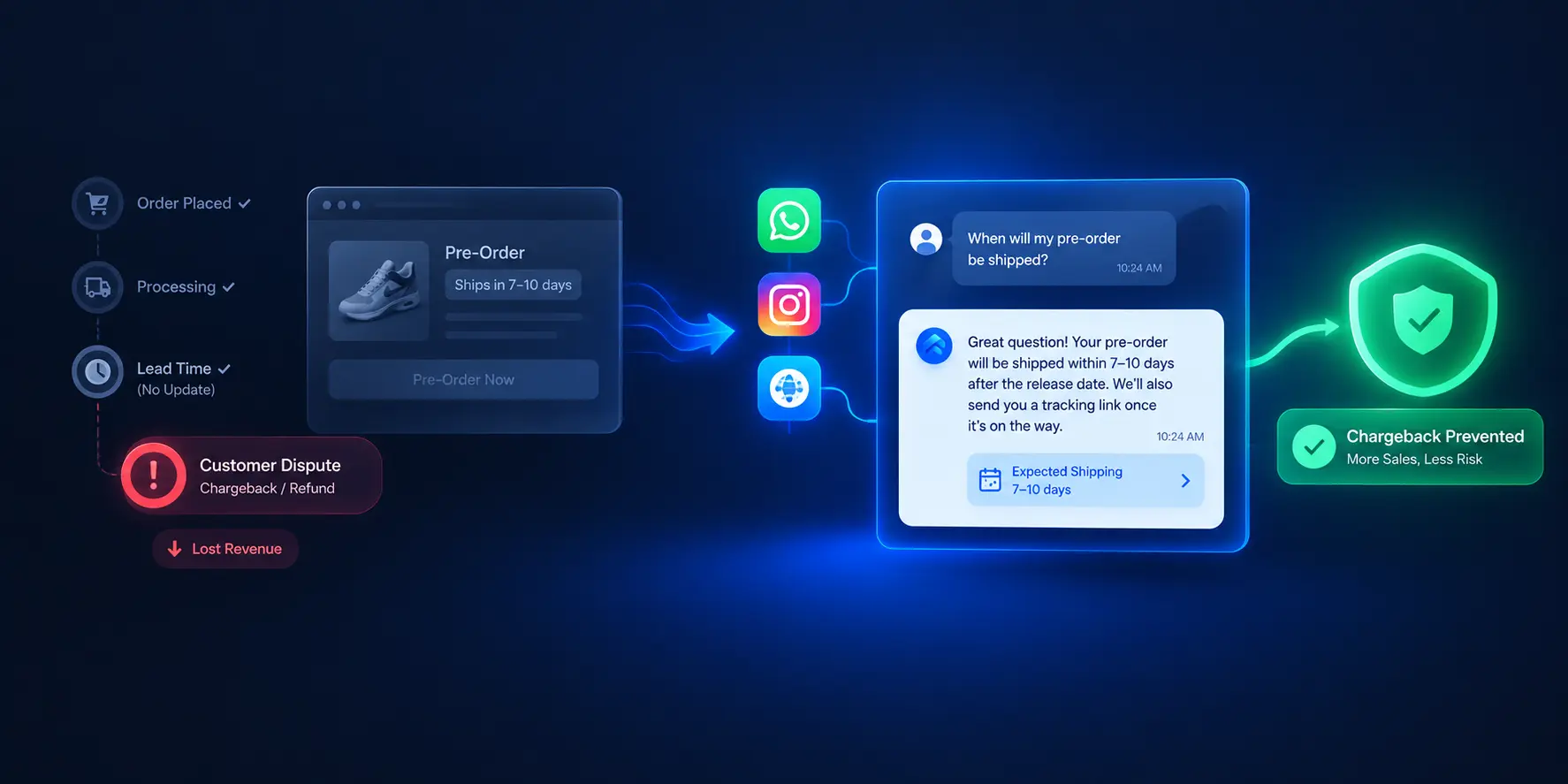
Stop Pre-Order Chargebacks: Automate Backorder Support
How D2C brands automate pre-order and backorder inquiries across WhatsApp, Instagram, and web chat to prevent chargebacks and cancellations.
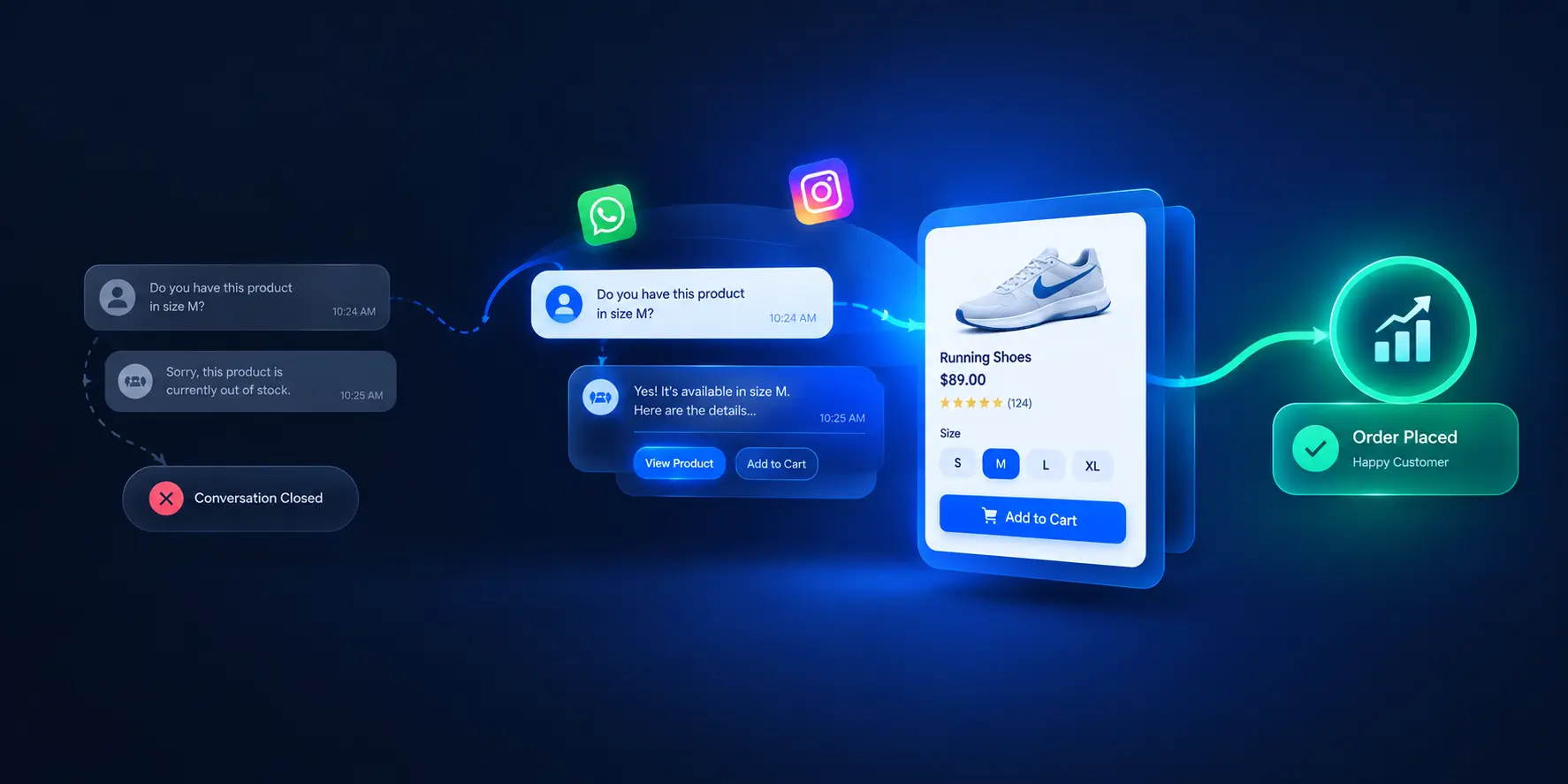
Beyond Ticket Deflection: How D2C Brands Turn Repetitive Support Chats into Upsell Opportunities
Learn how D2C brands turn routine pre-purchase support chats into catalog-aware upsell opportunities — without pushy tactics or slower response times.